CRM Dialer

Stop Tab-Switching and Start Selling with CRM Dialer

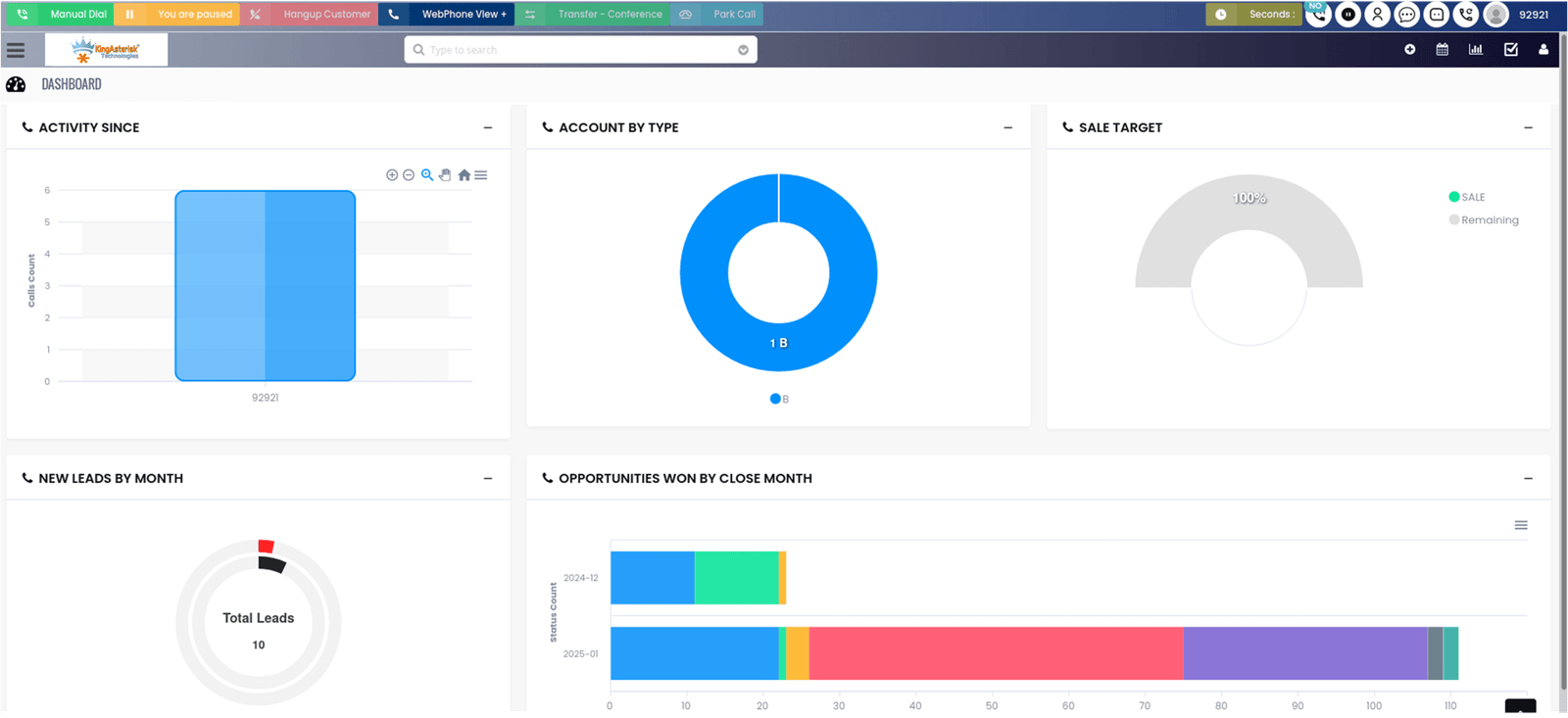
The CRM Dialer turns your database into an active sales engine by embedding high-speed calling features directly into the software.

Eliminate the friction of manual entry; just click a contact’s phone number within your CRM to launch a call instantly.

Sync Every call, voicemail, and note is automatically logged back into the customer’s profile in real-time.

The dialer pulls the customer’s full interaction history onto your screen the moment the phone rings.
integration Image

The Perks of a CRM Dialer Unified Workflow

When your phone system and your database finally start speaking the same language, your team stops fighting with software and starts winning over customers.

Say Goodbye to Data Silos

Integrating communication channels with your CRM centralizes your entire outreach history. This visibility protects your pipeline, making sure every interaction is accounted for and every follow-up happens on schedule.

Radical Time Recovery

When you automate the busywork of logging and calling, you stop paying your best people to be data clerks. Instead, you free them up to do what they do best—engaging in the high-stakes conversations that drive your revenue.

Higher Quality Conversations

Having a customer's entire purchase history right in front of your eyes means you can skip the "Who are you again?" Forget the small talk—just dive right in and start fixing things.

Reduced Agent Fatigue

Removing the constant friction of switching between five different tabs keeps your team’s energy high and their focus sharp throughout the entire shift.

Watch the CRM Dialer in Action

We’ve mapped out a brief demo so you can see firsthand how this integration actually functions on an agent's dashboard. You’ll see how a single click triggers a call and how the system automatically pulls up customer notes without the agent having to lift a finger. Check out the demo to see why this is the missing piece in your sales stack.

CRM Dialer: Your Top Questions Answered

Setting up a bridge between your phone and your database is a big move, so we’ve cleared up the most common points of confusion.

Does this work with any CRM, or do I need a specific one?

Our tech is designed to be a team player. Whether you’re running on heavy hitters like Salesforce and HubSpot or navigating a totally bespoke internal setup, our system plugs right in without a fight.

Will my agents still have to manually log their calls?

Not at all—that’s the whole point of the integration. The second a call ends, the system automatically creates a log in the CRM with the duration and a link to the recording.

Can I click a number on a website and have it dial through the CRM?

Yes, our "Click-to-Call" feature works across your browser, allowing you to launch a call from a lead’s LinkedIn profile or website directly through your integrated system.

What happens if a lead calls me back?

Imagine calling a prospect the second you find them on LinkedIn. Our tool makes that happen with one click.

Is the setup process going to take down my current system?

We manage the entire setup behind the scenes to prevent any service interruptions. This allows your staff to stay focused on their tasks while our team aligns both platforms seamlessly.

Is there a limit to how much data we can sync?

We don't believe in putting a cap on your growth; you can sync as many contacts, call logs, and notes as your CRM can hold without any extra "data tax" from us.